Group planning a trip together

Free Planning Tools

Party Bus Planning Tools

Planning group transportation involves passenger counts, budgets, routes, timing, pickup details, and written terms. Use these tools to organize your questions before requesting a quote.

Request a Quote

Fill out the form below or call (281) 549-2511

Final pricing depends on vehicle, date, route, hours, pickup city, and availability.

Short answer

Use the tools in the order the decisions arrive: headcount first with the Capacity Finder, then stops and clock times with the Route Planner and Event Timeline Builder, then money with the Trip Cost Estimator and Group Cost Split Calculator, and the checklists in the final week. Each one answers a single question in about a minute, and each answer feeds the next, so you reach the quote request with a real headcount, honest hours and a budget the group has already seen.

Which tool comes first?

The headcount, because everything downstream is built on it.

The Capacity Finder takes a guest count from 4 to 56 and lists every vehicle that holds at least that many, smallest first, each one linked to its own page. The Guest Count Calculator does the same job and stops at the three closest sizes, which is the version to paste into a group chat where nobody wants a menu.

Expect the answer to land somewhere around twenty. About 49% of Houston inquiries in our records with a group size attached were for 11 to 20 people, so most groups end up looking at the 18 passenger party bus or the 20 passenger party bus. If your number sits exactly on a vehicle's maximum, look one size up. These tools report listed capacity, not comfort, and eighteen adults with coolers are not the same thing as eighteen seats.

With two candidates in hand, the Vehicle Comparison Tool puts them side by side on type, listed capacity and a suggested planning window in hours. It shows no prices. Its real job is the limo-or-bus argument: set a stretch SUV limo next to a party bus of the same size and the difference stops being a matter of taste.
Group planning an event

How does a list of stops become hours?

By costing the driving before you cost the fun.

The Route Planner is where a vague night turns into a schedule. Add venues in order from its list, grouped by area, and it returns the typical drive between each pair in normal traffic, a total drive time, and an estimate that allows about 45 minutes for every stop between your first and last. For one leg, a hotel to a stadium say, the Venue Distance Calculator is faster, and it nudges you to add 15 to 30 minutes on Friday and Saturday nights.

A worked example from the tools' own drive-time table: Katy to Washington Avenue is about 35 minutes, Washington Avenue to Midtown about 10, Midtown back to Katy about 40. That is 85 minutes of driving before a single person has stepped off. Put three hour-long stops on top and you have a five-hour night. About 53% of Houston inquiries with a requested duration asked for three to four hours and about 34% asked for five to six, and routes shaped like this one are why that second group exists.

Carry the total into the Event Timeline Builder. Set a pickup time, add each activity with a duration between 30 minutes and three hours, and it recalculates the clock time of every step and prints the lot. Weddings get their own version: the Wedding Transportation Timeline works backwards from the ceremony start and the distance to the reception.

The driving is already an hour and a half. Everything else is extra.

How do you sanity-check a quote?

By finding out where it sits among quotes that came before it.

The Trip Cost Estimator does not produce a price. It shows how past quotes in our records spread across bands for a comparison group you pick: all Houston inquiries, Houston party bus inquiries, Houston birthdays, or all-market views for prom, weddings, concerts, limousines, Sprinter vans and coach buses. For all Houston inquiries with a historical quote on file, about 47% fell between $1,000 and $1,499 and about 30% between $300 and $999. Those are old quotes, good for spotting an outlier and nothing more, since your own number depends on the date, the vehicle, the hours and the route. Type in the quote you were given and the number of people splitting it, and the tool marks the band it falls in and works out each share.

For the split itself, the Group Cost Split Calculator and the Event Budget Planner do the work, the second treating transportation as one slider beside venue, food, drinks and decorations. The Tip Calculator adds an optional extra tip on top of a quote, so read your quote first and see how gratuity is already handled. Our Houston party bus price guide explains what pushes a number in either direction.
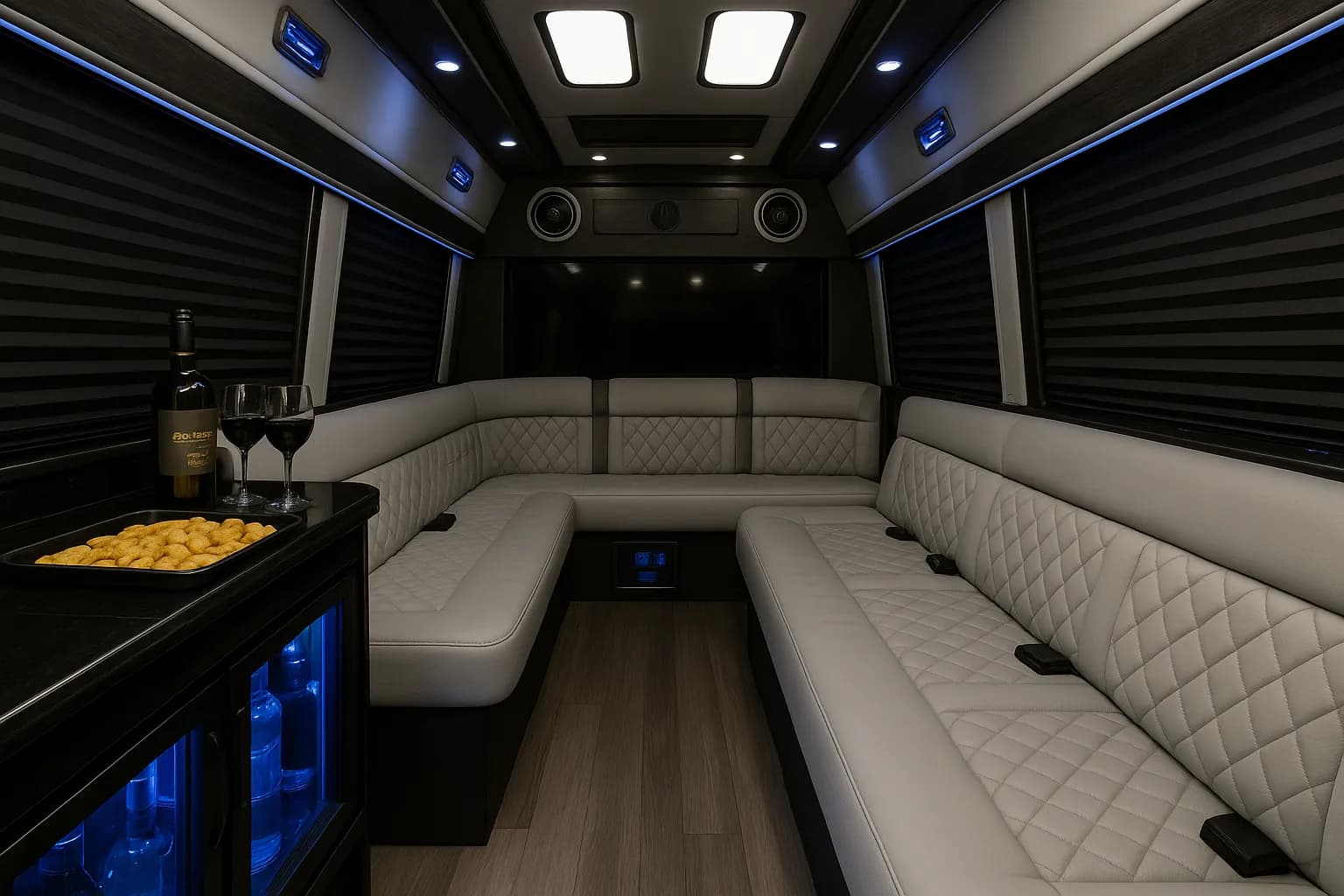
Inside a 14 passenger limo sprinter

What matters in the last week?

Four tools, and all of them are about avoiding a conversation on the kerb.

The Safety Planning Checklist walks through boarding, drinks, behaviour during the ride, what to bring and basic etiquette, with a progress bar that quietly shames you into finishing it. The packing checklist covers supplies on the same pattern. The Beverage Planning Calculator is for adult groups only: guests, hours on board and pace go in, and estimates for cans, bottles, ice and cups come out. The Decoration Planner separates the things that rarely cause trouble, such as tied balloons and battery lights, from the ones commonly restricted, such as glitter and tape.

None of this replaces the vehicle's own rules. Read the output as the list of things to settle with whoever is providing the vehicle, and read our safety planning guide if anyone in the group is under 21.

Every rule you settle in advance is an argument you never have.

Why did the tool give you a wrong answer?

Almost always because of what went in, not what came out. Five usual suspects:

  • The number invited rather than the number riding. Use the confirmed list, plus anyone driving separately who joins partway.
  • A forgotten pickup leg. About 72% of Houston-area inquiries with a city on file came from Houston itself, and the rest from the surrounding suburbs, where the first and last drives are real hours.
  • Normal-traffic times applied to a Friday 5 pm run on I-10, US-59 or Loop 610.
  • Checking a prom quote against the all-Houston view in the estimator instead of the prom view.
  • Treating the timeline's last activity as the end of the booking. The ride home is on the clock too.

What our inquiry records show

49%

About 49% of Houston inquiries with a valid group size involved 11–20 passengers.

53%

About 53% of Houston inquiries with a valid requested duration asked for 3–4 hours.

47%

About 47% of Houston inquiries with a recorded historical quote from $300 to $10,000 fell in the $1,000–$1,499 range.

Based on historical inquiries in our proprietary Houston transportation dataset (2023–Aug. 2026). These figures describe past inquiries, not bookings or current prices. Your quote depends on date, vehicle, hours, and route.

👥

Guest Count Calculator

Enter your rider count to see the three smallest vehicles that fit, with party buses first at each size.

Try It
💰

Trip Cost Estimator

See how past quotes in our inquiry records were spread across price bands, and check where a quote you received sits.

Try It
🗺️

Route Planner

List your start, stops, and end to see typical Houston drive times and a planning estimate of total hours.

Try It
🔄

Vehicle Comparison Tool

Compare two vehicles side by side: type, listed capacity, a planning window, and up to five listed features.

Try It
📋

Event Timeline Builder

Stack pickup, drives, stops, and drop-off into clock times you can reorder and print.

Try It
💵

Tip Calculator

Work out a driver tip at any rate if your quote does not already include gratuity.

Try It
✅

Trip Packing Checklist

Tick off what to pack for the trip, from essentials and shared supplies to comfort and safety items.

Try It
🌤️

Houston Weather Checker

See typical Houston highs, lows, rain, and humidity by month, with hurricane-season notes. Not a forecast.

Try It
➗

Group Cost Split Calculator

Split a quoted total per person, see what drop-outs cost everyone else, and work out each deposit share.

Try It
🎵

Playlist Generator

Pick an event type for genre ideas, anchor artists, and mood tags to build a shared playlist.

Try It
🍻

Route Stop Planner

Pick a Houston area for a suggested order of bars and venues, with typical hop estimates between stops.

Try It
⏰

Prom Countdown Timer

Count down to prom and see which planning milestones are past, due now, and coming up. Shareable by date.

Try It
💒

Wedding Transportation Timeline

Turn a ceremony time and two drive times into a draft wedding-day transportation schedule.

Try It
🔍

Vehicle Capacity Finder

See every vehicle in the lineup that holds your group, smallest first, with links to each one.

Try It
📊

Event Budget Planner

Split an event budget across transportation, venue, food, drinks, decorations, and extras.

Try It
📍

Venue Distance Calculator

Check a typical drive time between two Houston-area venues, with notes on rush hour and weekend traffic.

Try It
🥤

Beverage Planning Calculator

For adult groups 21+: estimate beer, wine, spirits, water, ice, and cups from guests and hours on board.

Try It
📸

Houston Photo Spot Finder

Browse photo-stop ideas by Houston area, each with a lighting tip and a short access note.

Try It
🎀

Decoration Planner

Tick the decorations you plan to bring and see which items are commonly restricted, to confirm before you buy.

Try It
🛡️

Safety Planning Checklist

Work through boarding, drinks, ride conduct, what to bring, and etiquette before the trip.

Try It

Quote Planning Note

Checklists and calculators are most useful when they turn vague ideas into specific questions: passenger count, route timing, pickup rules, budget, and written quote terms.

Customer Feedback

Booking Polls

Cast Your Vote

Quick one-tap polls from riders and planners. Vote to see live results — no sign-up needed.

Planning Tools — Frequently Asked Questions

25 of 25 questions

Yes. The tools are available without an account so you can organize your passenger count, route, timeline, and quote questions before contacting the team.
The estimator is a planning aid, not a final quote. Actual pricing depends on vehicle availability, date, pickup city, route, stops, rental hours, and written booking terms.
Most tools display results on-screen. You can screenshot or print the page to save your notes before requesting a quote.
Enter your passenger count and the calculator suggests a vehicle size range to confirm. Final vehicle fit depends on the exact vehicle, layout, luggage, and comfort needs.
The route planner includes common Houston neighborhoods and destinations, but drive-time assumptions should still be checked against your date, pickup time, and final stop list.
The comparison tool helps review listed vehicle details side by side. Before booking, confirm the exact vehicle, photos, capacity, amenities, and quote terms.
The weather tool shows typical Houston weather patterns by season and month. For forecasts close to your event date, check weather.gov or your preferred weather source.
The bar crawl planner helps organize neighborhood route ideas and stop order. Final plans should account for venue hours, lines, parking restrictions, pickup rules, and route timing.
Enter your prom date and the tool tracks planning milestones so your group can confirm headcount, pickup details, attire timing, and vehicle questions earlier.
Yes. The wedding transportation timeline helps draft pickup, photo, ceremony, reception, and return-trip timing that can then be confirmed with the final quote.
It helps estimate beverage quantities for planning purposes and reminds groups to confirm vehicle rules, venue rules, age restrictions, and allowed items before bringing anything aboard.
Yes. The budget planner can organize transportation, food, decorations, optional gratuity, venue costs, and other event categories.
The finder includes Houston photo-location ideas by neighborhood. Always confirm access, hours, parking, permit needs, and pickup rules before building them into the route.
The Decoration Planner helps list decoration ideas to ask about. Confirm allowed materials, tape rules, cleanup terms, and vehicle-specific restrictions before bringing decorations.
The tools are maintained as planning aids. Vehicle, price, and policy details should always be confirmed in writing for your specific quote.
Yes. The tools are designed to work on phones, tablets, and desktops so you can plan from anywhere.
No booking is required to use the tools. When you are ready, call (281) 549-2511 or send your trip details through the quote form.
They are focused on Houston-style group transportation planning: passenger count, route timing, venues, weather, budget, and the details to confirm before booking.
Yes. Call (281) 549-2511 or email info@houstonpartyride.com if there is a planning tool that would make your event easier to organize.
Yes. The checklist helps groups confirm passenger count, pickup details, route, allowed items, written terms, and day-of communication before the trip.
Headcount first with the Capacity Finder or Guest Count Calculator, then route and timing with the Route Planner, Venue Distance Calculator and Event Timeline Builder, then money with the Trip Cost Estimator, Group Cost Split Calculator and Event Budget Planner, and the checklists in the last week. Every step runs on the answer before it.
They start from the same number. The Capacity Finder lists every vehicle that holds at least that many, smallest first, with a link to each vehicle page. The Guest Count Calculator gives you only the three closest sizes, which is quicker when all you want is a short list.
It adds about 45 minutes for each stop between the start and the end, because no group has ever got in and out of a venue faster than that. If your stops are genuinely longer, a sit-down dinner for instance, rebuild the night in the Event Timeline Builder with the real durations.
Normal traffic, which Houston supplies less often than it should. The Venue Distance Calculator suggests adding 15 to 30 minutes on Friday and Saturday nights, and weekday rush hour on I-10, I-45, US-59 and Loop 610 can beat that comfortably.
No. They work from listed vehicle details and typical drive times only. Availability belongs to the date itself and gets answered when you send your trip details for a quote.

How to Book Your Ride

Booking a party bus in Houston is easier when the vehicle, route, price, and terms are confirmed before payment.

1

Call or Fill Out the Form

Share your date, pickup area, passenger count, route ideas, and any must-have vehicle details.

2

Review a Written Quote

Compare the listed vehicle, capacity, estimated hours, pricing, and terms before you decide.

3

Confirm the Booking Terms

Approve the exact vehicle, payment schedule, cancellation terms, gratuity, and allowed items in writing.

4

Ride With the Plan Confirmed

Use your final confirmation for pickup timing, contact details, routing, and vehicle-specific instructions.

Quote Planning Note

Passenger count is one of the easiest planning details to get wrong. Build your list early, then confirm the listed capacity and comfort fit for the exact vehicle.

Review Vehicle Options

Use videos and photos as planning references, then confirm exact vehicle details, availability, amenities, and terms before booking.

Preview Before Booking
Confirm exact vehicleConfirm amenitiesConfirm quote terms

Request a Houston Quote

Done planning? Call (281) 549-2511 or send your trip details through the form.

Request a Quote

Fill out the form below or call (281) 549-2511

Final pricing depends on vehicle, date, route, hours, pickup city, and availability.

Have questions? Send your trip details and we'll help you confirm the next step.